



How to Keep Your Phone Running Like New for Years
Smartphones have become essential to our daily lives — they’re our cameras, planners, wallets, and communication tools all in one. But over time, even the most powerful devices can start to slow down or feel outdated. The good news? With proper care and smart habits, you can keep your phone running smoothly for years.
At Jazzfone, we’ve helped countless customers in Poole, Southampton, and across the UK extend the lifespan of their smartphones. Here are some expert tips to help your device perform like new — long after you’ve unboxed it.
1. Keep Your Software Up to Date
Software updates do more than add new features — they fix bugs, patch security vulnerabilities, and optimise performance.
- Enable automatic updates for both your operating system and apps.
- Regularly check for firmware upgrades, especially for Android devices.
- Avoid outdated apps that may drain resources or conflict with newer software.
✅ Pro Tip: Updated software keeps your phone secure and ensures compatibility with new apps and accessories.
2. Clear Out Clutter Regularly
Over time, unused files, apps, and cached data can slow your phone down. Make a habit of decluttering monthly:
- Delete old photos, downloads, and duplicate files.
- Uninstall apps you haven’t used in over a month.
- Clear your browser history and app cache.
- Use built-in storage management tools to free up space automatically.
✅ Keeping your storage at least 20% free helps your phone run efficiently.
3. Protect and Preserve Your Battery
Your battery’s health directly affects your phone’s overall performance.
- Keep your battery level between 20% and 80% for optimal longevity.
- Avoid overnight charging or letting it fully drain frequently.
- Turn off Bluetooth, Wi-Fi, or GPS when not in use.
- Use original chargers or certified cables to prevent overheating.
✅ Avoid extreme heat — it’s the quickest way to degrade your battery.
4. Keep It Physically Clean and Safe
Dirt, dust, and moisture can cause more damage than you think.
- Use a microfiber cloth to clean your screen and ports gently.
- Avoid exposing your phone to humid or dusty environments.
- Invest in a protective case and tempered glass screen protector to prevent cracks and scratches.
✅ A clean, well-protected phone lasts longer and performs better.
5. Manage Apps and Permissions
Apps running in the background can slow performance and drain power.
- Restrict background activity for less-used apps.
- Check app permissions regularly and disable unnecessary access.
- Close unused tabs, apps, and background processes to save memory.
✅ Managing background usage helps your phone stay fast and responsive.
Keep Your Phone in Top Condition with Jazzfone
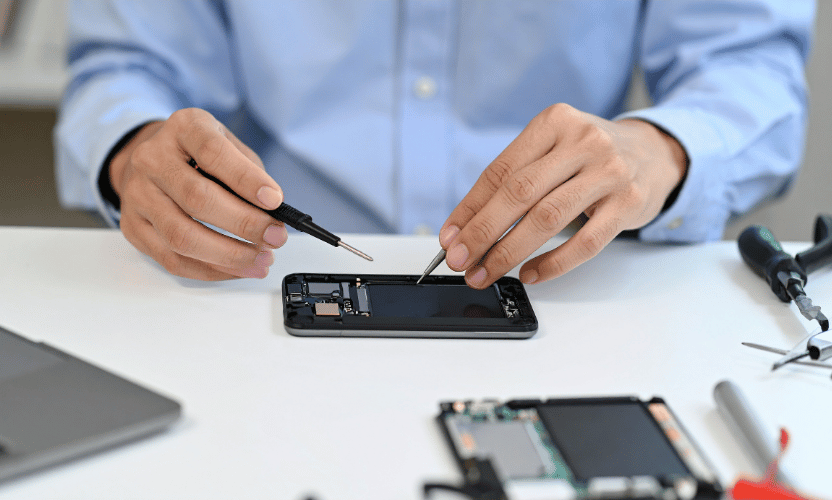
At Jazzfone, we specialise in professional phone repair, maintenance, and accessories that help your device perform like new.
- Battery replacements and diagnostics
- Screen and hardware protection
- Expert advice for long-term phone care
Latest Post

December 29, 2025
No Comments

December 23, 2025
No Comments
December 22, 2025
No Comments
December 16, 2025
No Comments
December 15, 2025
No Comments